FIND THE HEAVYWEIGHTS.
Choose a drive or folder. Sort by size, then filter videos, archives, images, or other file types.THE BIGGEST FILES ARE A GOOD PLACE TO START.
That old screen recording. A forgotten ZIP. Five versions of “final.” Find the big files, look inside, and decide what stays.
$0.00 / WINDOWS 10 & 11 / X64 / PORTABLE ZIP
Start with the biggest files. Narrow things down by type or age. Preview the one you don’t recognize before making the call.
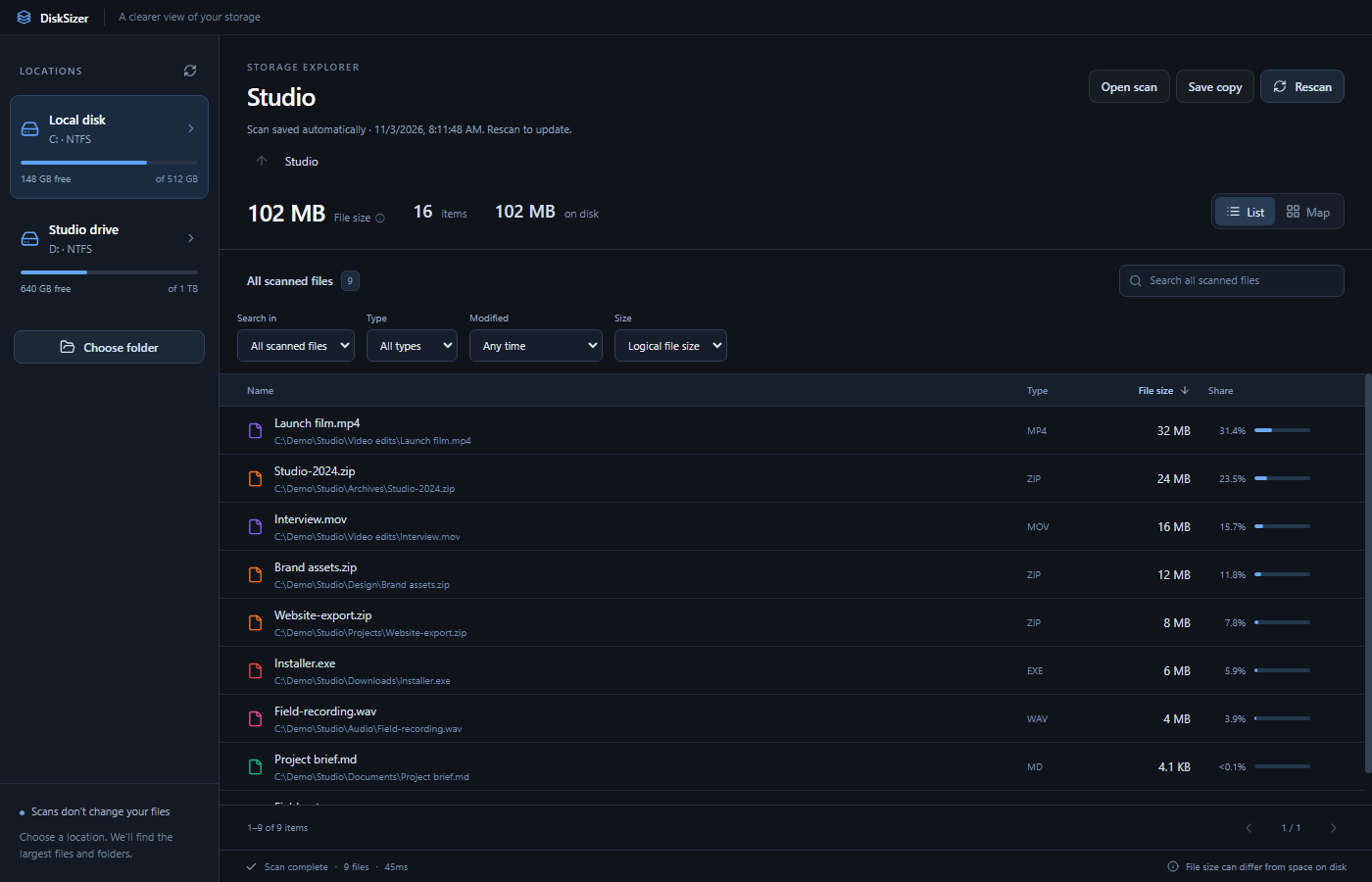
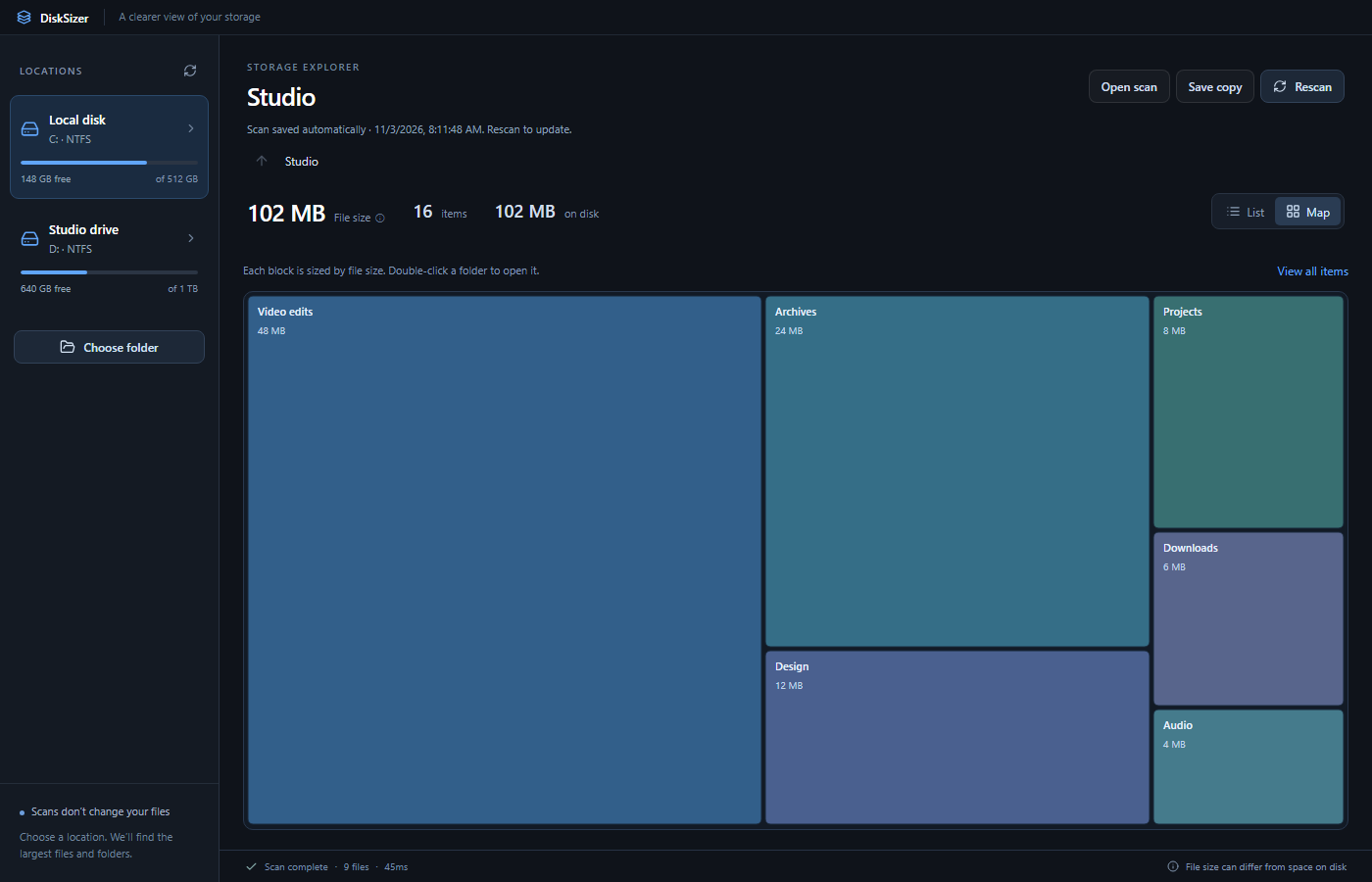
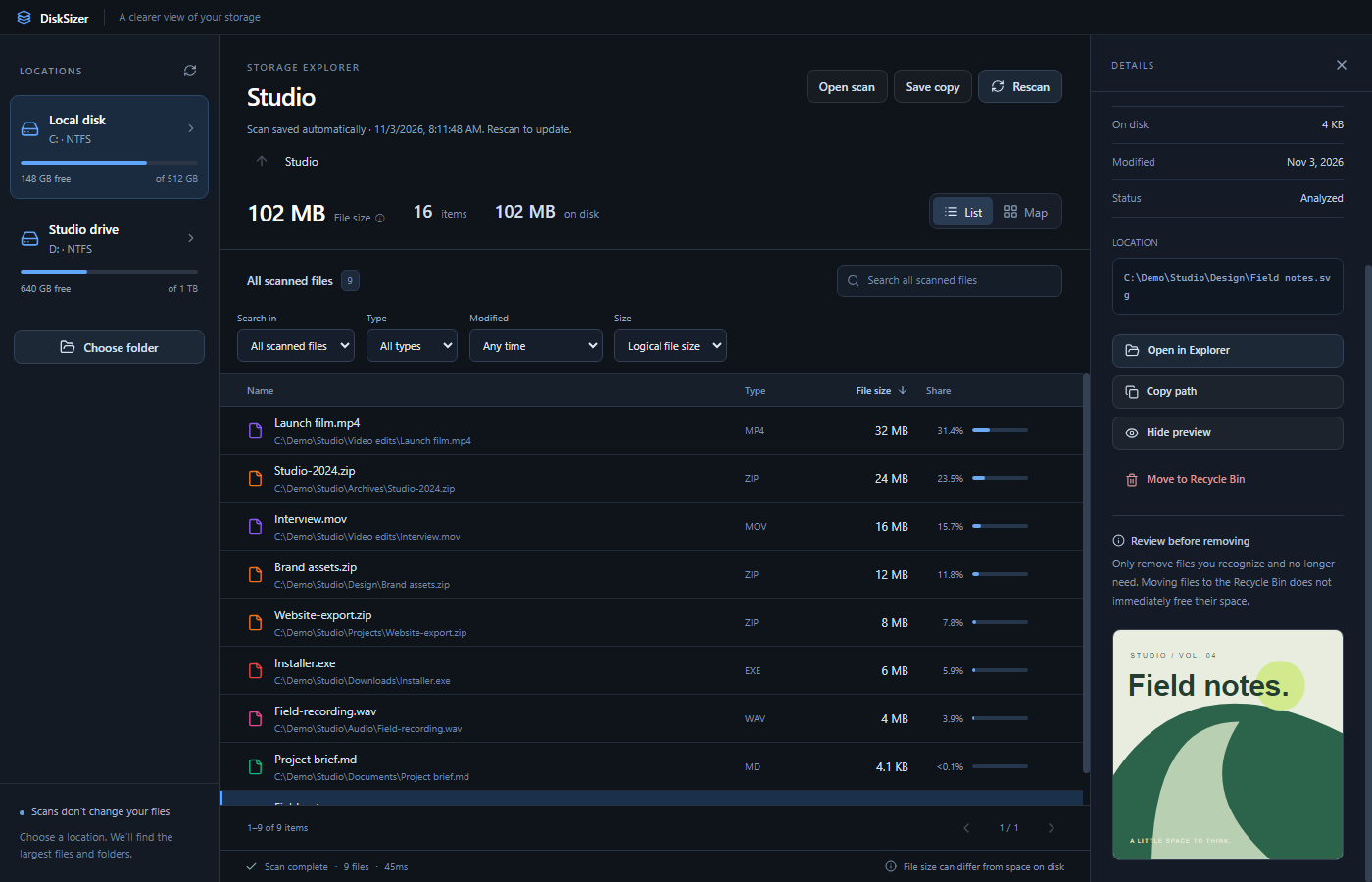
The biggest files, across your scan. No opening twenty folders to find the one you need.
ACTUAL APP / EXAMPLE FILES / V1.1.0A giant file isn’t automatically junk. Get enough context to tell the forgotten export from the project you still need.
Choose a drive or folder. Sort by size, then filter videos, archives, images, or other file types.THE BIGGEST FILES ARE A GOOD PLACE TO START.
Preview supported files and check the full path. Open the location in Explorer when you need more context.“FINAL_V7” MIGHT ACTUALLY BE THE FINAL ONE.
Keep what matters. Send files you no longer need to the Recycle Bin. Your scans are saved for another look later.SAVED SCANS ARE READ-ONLY. RESCAN TO UPDATE.
File size and space on disk can tell different stories. DiskSizer shows both, and calls out unknown allocation.
Yes. Download DiskSizer and use it without an account or a subscription. The source repository is public; a project license has not yet been selected.
No. Scanning does not change your files. You choose what to remove, and file removal uses the Windows Recycle Bin. A large file is not necessarily safe to delete; previews and paths help you decide. Recycling a file may not immediately free its space.
Logical size is the length of a file. On-disk size is its measured allocation. Compression, sparse files, and hardlinks can make those numbers differ. DiskSizer counts known shared identities once in folder allocation totals and marks unknowns. Allocation is not a promise of reclaimable space.
Scans save to your computer automatically. Open a saved scan to inspect that dated result, or save a named copy. Saved scans are read-only: rescan for current results and before removing files. Saved scan files use disk space until you remove them.
Windows 10 or 11 on x64. Download the ZIP, extract it, and open DiskSizer.exe. The current build is unsigned, so Windows may show a publisher warning. See the release notes and checksums for the download details.
Your next “oh, that’s where it went” starts here.
Get DiskSizer — freeWINDOWS X64 · V1.1.0 · ZIP DOWNLOAD · UNSIGNED BUILD